
QR ordering software for cafés and restaurants
TableGo is table-ordering software for cafés and restaurants. Guests scan a QR code, browse the menu and order in their browser; staff receive and manage orders on web or Android.
App screenshots
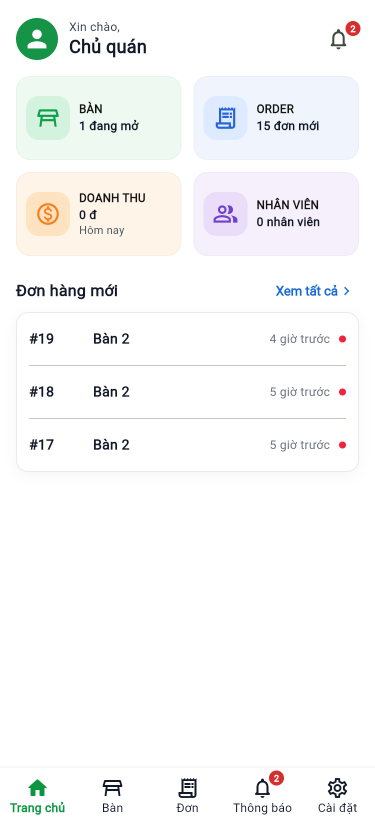
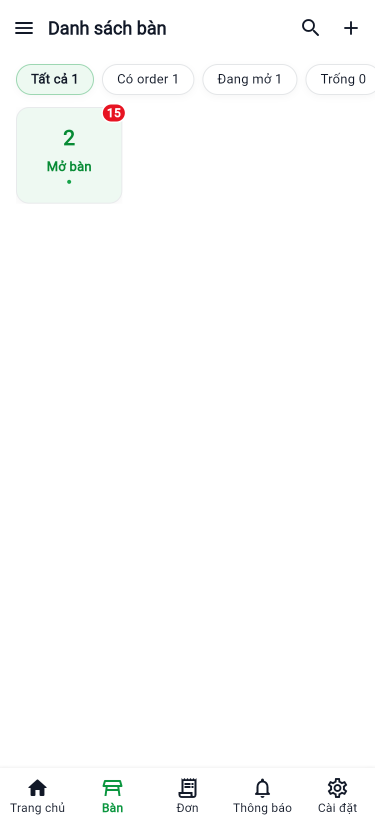
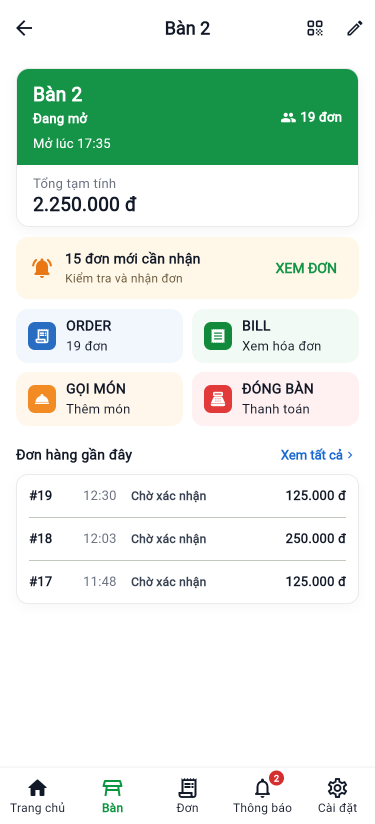
Staff management interface
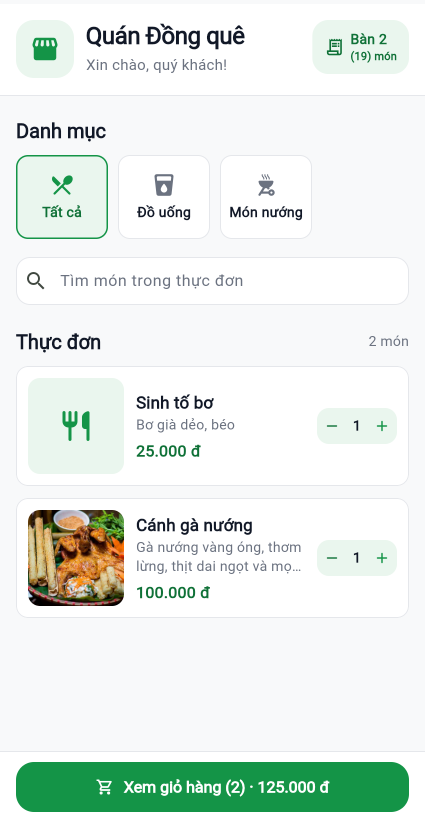
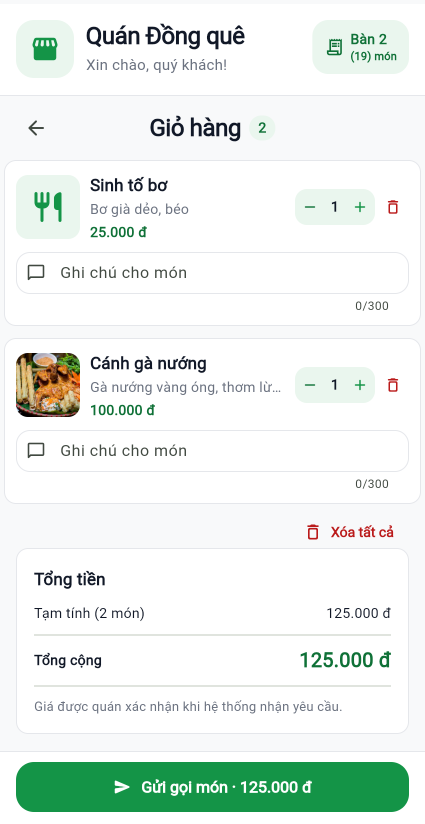
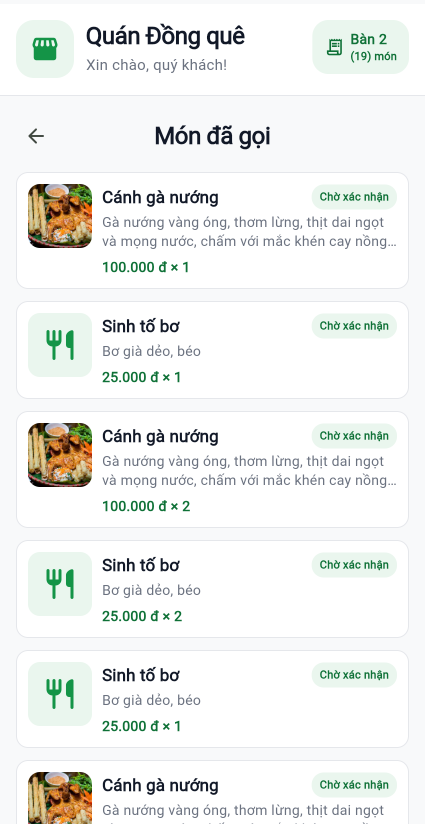
Guest ordering interface
Key features
- QR ordering at the table: Guests scan a code to see the menu and submit orders without installing an app.
- Web and Android management: Staff and owners can manage orders through a browser or Android app.
- Order updates: Incoming orders and status changes are synchronized through the system.
- Order acknowledgement: Staff can review and handle incoming requests.
- Preparation status: Track orders through waiting, preparing, ready and served states.
- Venue setup: Set up menus, tables, QR codes and staff access where available.
How does QR ordering work?
- The owner sets up menu items, tables and the corresponding QR codes.
- Guests scan their table code and select items in a mobile browser.
- Orders appear in the management screen for staff to review and update.
Frequently asked questions
Do guests need to download an app?
No. Guests can scan a code and order in a mobile browser.
Can the owner manage orders on the web?
Yes. TableGo provides a web management site and an Android app.
Can each table have its own QR code?
Yes. The venue can set up tables and provide their corresponding QR codes.
QR ordering guides for owners
Guides to setting up menus, table codes and a practical ordering workflow.